
Roles, Permissions & Backend Access: Fine-Grained Access Control
A fully configurable role and permission system lets you define exactly what each team member can see and do — with protected root roles and membership-level policies.
As organizations grow and more teams begin using Agentwise, the question of who can do what becomes important. A content editor shouldn’t be able to modify agent configurations. An analyst needs read access to analytics but not to user management. An external contractor should only see the specific agent they’re helping to build.
Agentwise now includes a fully configurable role and permission system to handle exactly this.
How It Works
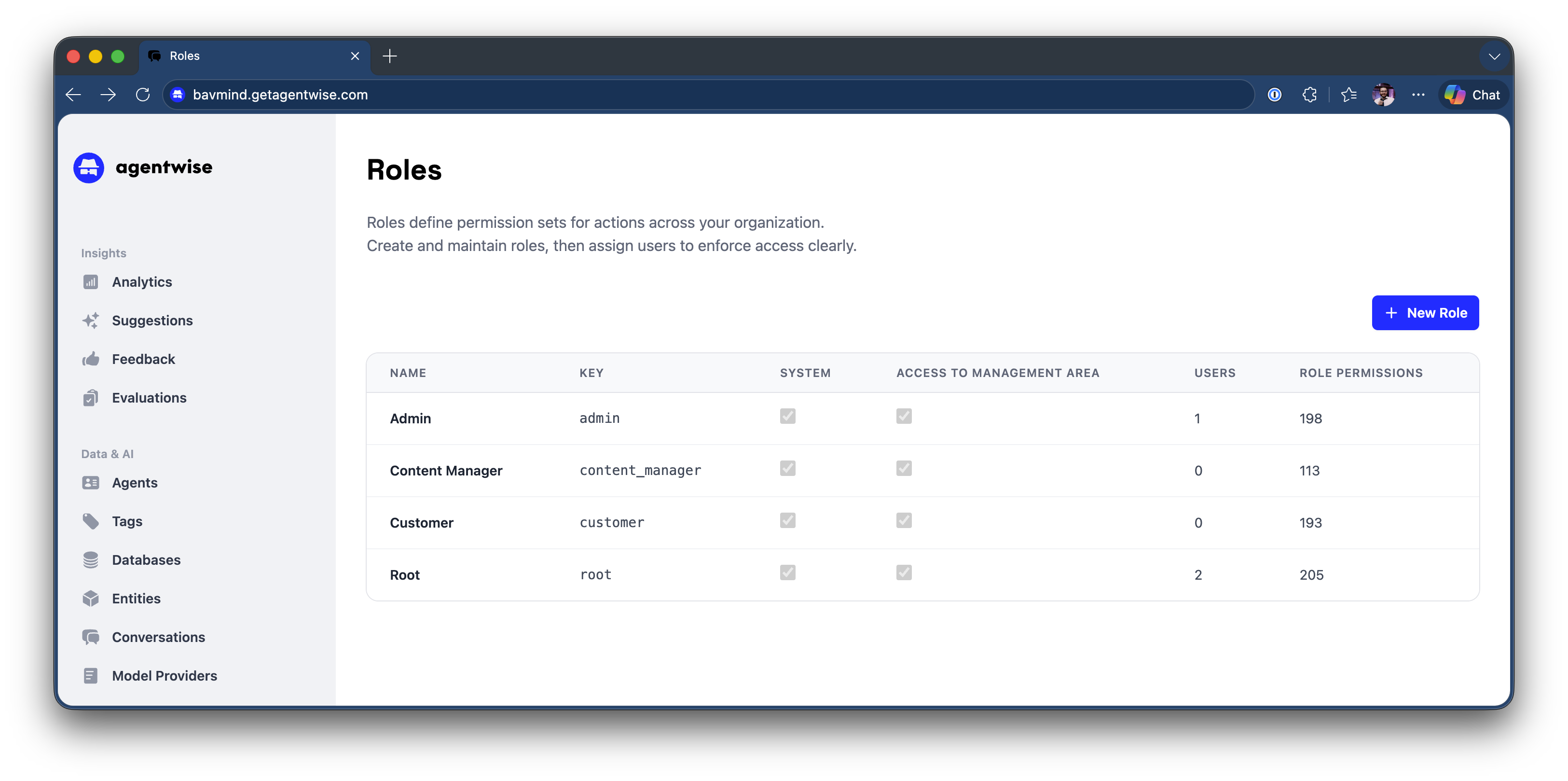
Roles group a set of permissions into a named profile. You can create as many roles as your organization needs and assign them to team members individually.
Permissions are granular — covering areas like agent configuration, knowledge management, user administration, analytics, and system settings. Each permission can be granted or denied per role.
Special roles address specific needs:
backend_accessrestricts access to sensitive technical areas that most users shouldn’t need to touch- Root roles are protected from accidental modification — they can’t be accidentally deleted or stripped of critical permissions
Membership-level policies control how roles can be assigned to groups and what access members inherit from group membership. This is useful for large organizations where teams are managed as groups rather than individually.
Why Access Control Matters
Beyond security, good access control reduces noise. Users only see what’s relevant to their work. Onboarding new team members becomes faster when you can assign a role and know exactly what they’ll have access to. Audits become simpler when permissions are explicit and documented.
This feature ships fully ready — roles can be configured immediately from the organization settings area.