
Liquid Templating for Agent Instructions: Dynamic, Context-Aware Prompts
Agent instructions now support Liquid templating syntax, letting you inject dynamic context — conversation metadata, user fields, or runtime values — directly into your system prompts.
A system prompt that’s the same for every user in every situation is a missed opportunity. The same agent serving a senior engineer and a new intern, or responding to someone in Tokyo and someone in Munich, should probably behave at least a little differently.
Agentwise now supports Liquid templating in agent instructions, making it straightforward to build prompts that adapt to context.
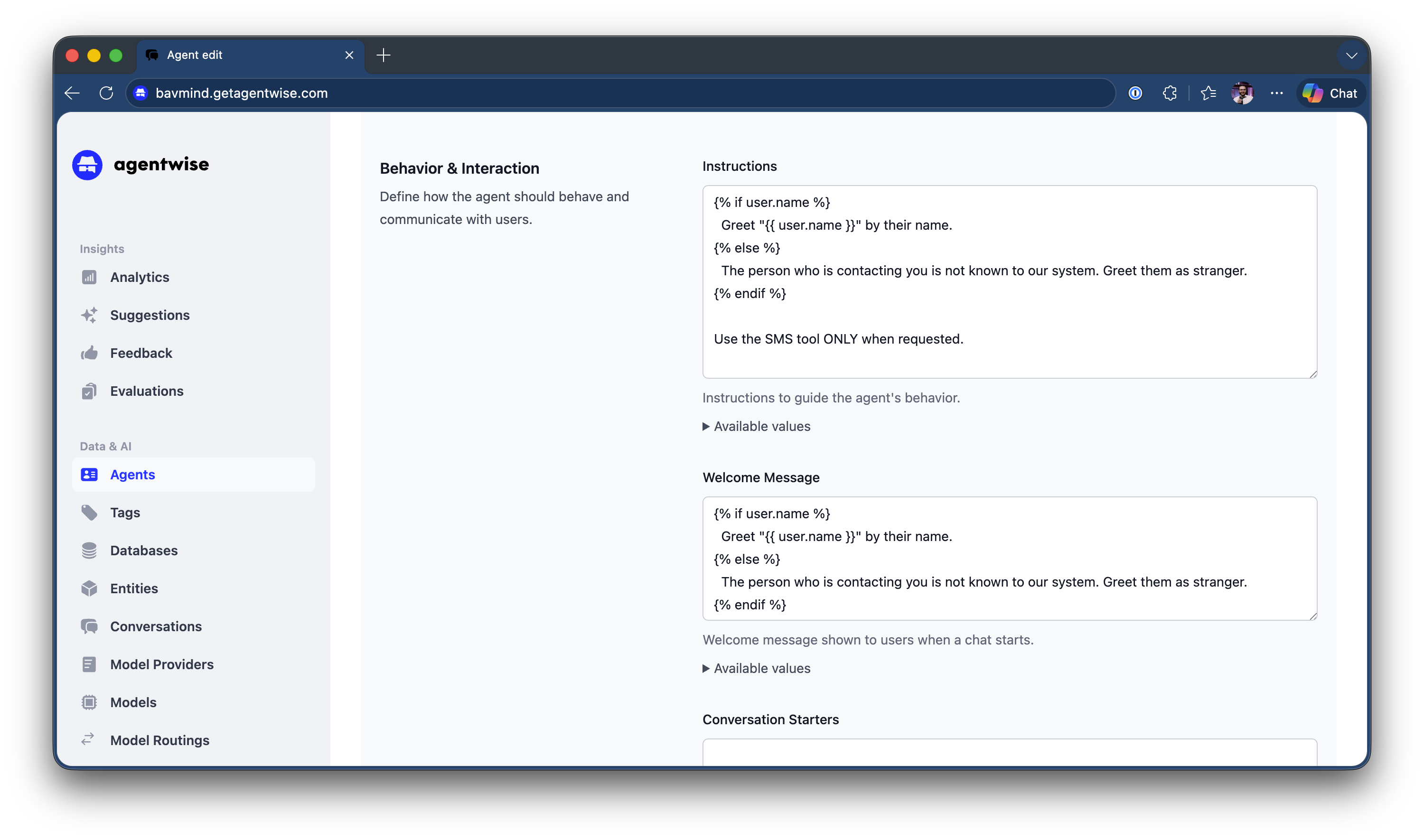
The Syntax
Use {{ variable }} notation anywhere in your agent’s system instructions. At runtime, Agentwise resolves these variables before sending the prompt to the language model.
For example:
You are an IT support assistant for {{ user.department }}.
The user's name is {{ user.name }}.
Today's date is {{ conversation.date }}.
Always respond in {{ user.preferred_language }}.
When a user from the Finance department starts a conversation, the agent automatically knows it’s talking to someone from Finance — without the user having to say so.
Available Variables
Variables available in templates include:
- User fields — name, email, department, and any custom fields your organization has defined
- Conversation metadata — date, time, agent name, channel (Teams, web, voice, etc.)
- Runtime values — dynamic context injected at conversation start
Why This Matters
Liquid templating closes the gap between a generic agent and one that feels tailored. It’s especially useful for:
- Multi-tenant deployments where one agent serves different teams with different contexts
- Onboarding flows that address the user by name and reference their role
- Localization where the agent’s tone or language should adapt to the user’s preference
- Compliance contexts where instructions must reference the user’s team or jurisdiction
No code required — just write your instructions as you normally would, and add variables where context should flow in.