
Real-Time Voice & Phone Calling: Configurable AI Voice Conversations
Agents can now handle real-time voice conversations over WebRTC and phone channels — with configurable turn detection, barge-in sensitivity, audio recording, and multiple voice models.
Text has been the default interface for AI agents since the beginning. But plenty of real-world workflows happen over the phone — and plenty of users simply prefer to speak rather than type. Agentwise now supports both.
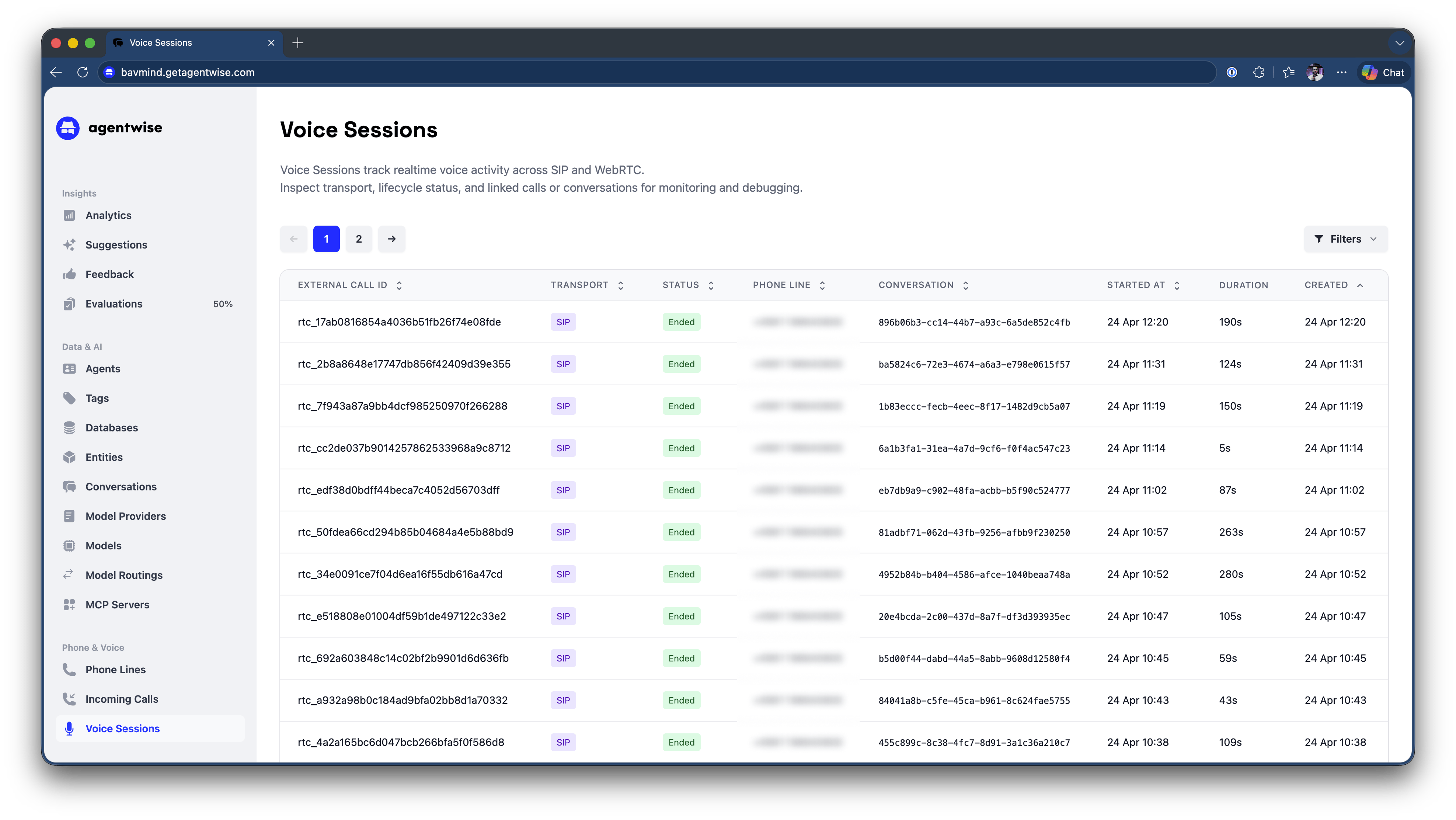
Real-Time Voice Conversations
Agents can now conduct live voice conversations over WebRTC (browser-based) and phone channels. The conversation flows naturally: the user speaks, the agent listens, processes, and responds — all in real time.
Configurable Voice Behavior
Voice conversations have unique requirements that text interactions don’t. Agentwise gives you control over the settings that matter:
Turn detection — Configure how the agent determines when the user has finished speaking and it’s time to respond. Adjust sensitivity to work well across different speaking styles and environments.
Barge-in sensitivity — Control how responsive the agent is to interruption. A user who starts speaking while the agent is still talking should be heard; incidental background noise shouldn’t trigger a cutoff.
Audio recording — Enable or disable recording per agent, with appropriate controls for retention and access.
Voice model selection — Choose from multiple voice models (including Cedar, Marin, and others) to match the tone and register appropriate for your use case.
Modality-Specific Settings
Each agent now supports three separate modality configurations: text, voice, and phone. This means:
- Different system instructions per modality — a phone agent might be more concise and directive than a text agent handling the same topic
- Different model assignments per modality
- Independent enable/disable controls per channel
A single agent can simultaneously serve users over chat, handle inbound calls, and be available in a web voice widget — each with its own tuned behavior.
What This Enables
Voice support opens up use cases that text simply can’t serve: phone-based IT helpdesk lines, voice interfaces for field workers who can’t type while operating machinery, and phone intake workflows for organizations that receive inbound calls today and want to handle them more efficiently.
If you’re interested in enabling voice for an existing agent, get in touch and we’ll walk you through the setup.